Add to Cart
Give your patients freedom to fill out forms from anywhere

Last week’s blog titled “How wide open is the back door ofyour practice?” talked about patient
retention and how to track it using the Practice Advisor report. I think it is important to track and monitor your numbers to know the health of your practice, especially your patient retention. You invest a lot into attracting new patients and I would expect the same or more from you to keep your existing ones.

One thing that comes to mind with both new patients and existing patients is the topic of patient forms. Nobody likes to fill out a form these days and the office struggles with the time it takes and scanning paper. Making the task of filling out forms more convenient, easy and faster for both the patient and the practice will help create happy, loyal patients.

Image if your patients could fill out their new patient forms from their mobile phone while they are sitting on their couch watching the MLB All-Star game this week or a patient of record updating his or her health history while sitting on a train during the commute to work. You don’t have to image this. It is reality.

While I was working with a practice recently, the office Wi-Fi was down so we did not have the opportunity to test the new electronic forms from the office website. With no Wi-Fi, every team member got on her mobile phone and filled out the new patient forms from her phone. It was amazing! We had team members ranging in age from 23 to 60 typing in information to submit.


In the newest version of Dentrix, the Questionnaire forms have been redesigned in an HTML format. This gives the patient more accessibility to the forms and gives the office better management of the forms. Don’t make your patients print a PDF from home and bring in a paper form that your team must scan. Give your patients the freedom to fill out patient information from anywhere.

CLICK HERE for more information on how to integrate electronic forms from Dentrix into your website, mobile device or tablet.

Add to Cart
Referral coordinators at specialty practices - this one is for you


At both of these offices, the referral coordinators had an accordion file filled with referral slips of patients who had been referred to their office but have not scheduled. They both had a good system. However, both of these offices are in the process of going paperless and we were looking at systems for managing these patients inside of the Dentrix software.

Here is what we came up with . . .

When you go paperless, you will use the Document Center a lot for paper storage. Now some of you know that every patient has a Document Center because you have been using it for a while, but did you know that every provider has a Document Center as well? Yep, you can scan and store documents inside of your own Document Center and eliminate a lot of paper that floats around on your desk.

So, for these two offices, I recommended using this feature and also attaching the document to the referring doctor for easier tracking. Then, when a patient calls, they can go to their Document Center (or the provider you choose to use) and then search documents attached to a particular referring source and get a list. Then, when the patient schedules and they open the Family File, they can attach the referral slip to the patient and that document has now been linked up without having to scan it again.

Go to the Office Manager > Document Center > select the provider you want to use for holding these documents and then scan the referral slip and put it in the correct folder. I would recommend putting the patient name in the description field. You can now shred these referral slips and clean up your desk.


For more information on the Document Center, CLICK HERE.

Add to Cart
Your Personal To-Do list


  • Does your doctor’s desk have sticky notes all over it?
  • Does your desk have sticky notes all over it?
  • Are you looking for a better way to communicate with your team?
  • Do you work best off a list to To-Do’s?


If you answered yes to any of these, then I have a solution for you. Not only can you use the Office Journal for documenting administrative conversations with patients and keeping track of all your notes with patients, but you can also use it as your own personal To-Do list. And your entire team can have their own To-Do list in the Office Journal. You can send a note to one of your team members and it will show up on their Office Journal. Let’s run through a few examples.

Let’s say you are talking to a patient about scheduling his or her treatment and the patient says, “Can you call me after the New Year?” You can enter a Reminder Office Journal entry with a future date and it will show up on the patient’s Office Journal and your Office Journal.

You are trying to send claims for the day but you are missing the narrative for the crown on your first patient of the morning. You need to have the doctor review the X-ray and document it for the claim. That means that, instead of putting a “sticky note” on his desk, you can send him a note on his Office Journal.

A letter came in the mail today from your implant specialist that the implant is ready to restore for one of your patients. You need to let your dental assistant know to order parts and let your doctor know to treatment plan the next visit. You can send an Office Journal note on both of their journals with the specifics to the case and let them know they will find the letter from the specialist in the Document Center.


These examples happen in the dental office every day. How do you communicate with your team? How would life be if you could keep your communication inside of your practice management software? Try it and see.

Read other articles about how awesome the Office Journal is . . . 

Add to Cart
Tracking the ROI on your marketing campaigns in three easy steps

shocked sometimes when I see how much these advertising campaigns cost the practice. How do you know if they are working? Do you know the ROI on your investment? I can help you see the statistics you need to know to help make decisions on your referral programs and new patient acquisition.
First things first . . . your team must be recording where your new patients are being referred from. If you are starting a new patient referral program or just signed up with a marketing company that is launching some direct mail campaigns, I want you to add these into your referral sources. Go to the Office Manager > Reference > Referral Maintenance. Then click on add new and enter the name of the campaign. Make sure to check Non Person and then, at the bottom, click on Referred By. The reason you want to select Non Person is because these campaigns will be tracked as Referred by Marketing on the Practice Advisor Report.

Second, make sure your team is checking the new patients against the referring sources on a daily basis. The easiest way to do this is using the Daily Huddle Report. Look at the Daily Huddle each day and make sure the total number of new patients is accurate and make sure the total number of new patients matches the total number of referral sources. This makes sure that every new patient is tracked with how he or she found you.

Now the juicy stuff . . . you can run a report that will show you the total number of patients by each referral source, see how much their treatment plan is worth and how much production has been completed. This is invaluable because you can not only see how many patients this campaign is bringing you, but also how much revenue. AMAZING!

Go to the Office Manager > Reports > Management > Referred By Report. Next, select the referral dates, production dates and select the referring source you want to analyze. Then at the bottom make sure to check Show Production Detail.


This will be great information when you are looking to renew a campaign or just great feedback to your marketing company

Add to Cart
What an amazing marketing tool!


Maybe it’s just that you don’t know what Dentrix Mobile is or you haven’t been taught how to use it.  Over the past few years, I have seen a decline in awareness and use of Dentrix Mobile so I felt it was time to re-post about this useful tool and remind you that it is part of your customer service agreement. 

One of the greatest marketing tasks you can do at your practice is follow up with patients after a surgical or challenging appointment. You can easily log into Dentrix Mobile and see your appointment book and look up patient information to make those important calls. 

I just finished two of the best books on the market right now for the dental practice, Everything is Marketing and Becoming Remarkableby Fred Joyal. One thing that he recommends in his books is for the doctor to call new patients, welcome them to the practice and ask if there is anything he or she should know before their visit tomorrow. What an amazing marketing tool! This can easily be done using your Dentrix Mobile service because you can make the calls from anywhere and see your appointment book at a glance.


If you would like to read my blog from 2013 (which is still very pertinent today) about Dentrix Mobile, CLICK HERE to be directed.

Add to Cart
Creating rich, meaningful relationships to increase your patient retention

If you have been reading my blog for a while you probably have stumbled across an article or two about Patient Retention and if you have worked with me personally we definitely have discussed ways to improve your patient retention and create more meaningful relationships.  In many of my articles you will find tips on where to document these relationship building tidbits about your patients so you can create a dental experience your patients will rave about online.

I met a company recently that shares my view on creating those meaningful relationships and improving your patient retention.  Social Dental believes that the best practices deserve the best patients. If you share this belief, read on.


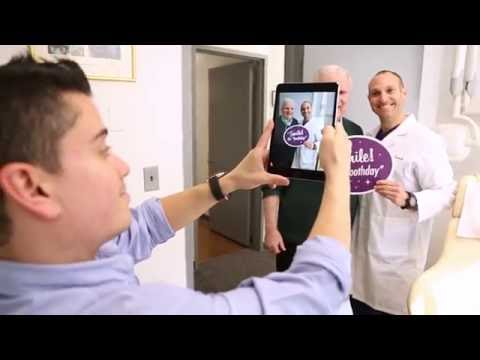
By definition, the best patients are engaged. They’re not just “shoppers” who are looking for the lowest price on a one­-time procedure; they’re looking to invest in a long-­term relationship. These “above-­the­-bar” patients keep their appointments. They appreciate the care they receive and they accept and follow through on treatment recommendations. Consequently, these highly engaged patients achieve the best outcomes and the highest levels of patient satisfaction. And engaged patients tend to have friends and family members who are a lot like them. Audience engagement is, of course, the key to a building a successful online presence for your practice. Trust is the currency of the web and being real and authentic online builds trust. Not surprisingly, the most effective way to create engagement is by sharing real photos of real patients. Authentic patient photos (vs. stock photography or manufactured content) open a window into your office culture, helping potential patients feel connected to you before they ever step foot in your office.

Social Dental also makes it easy to quickly request Google Reviews from your patients by getting their attention before the distractions of life take over.

The one thing that makes all of this work is for you and your team to genuinely care about your patients. Otherwise, asking to take a photo with a patient may feel forced and cause your team to feel like they’re imposing. When this happens, the process can feel more like a chore than a celebration and the idea of creating a lasting culture of patient engagement will never take root in your practice.

Developing a culture of appreciation is the most important way to grow your practice—online and offline. Visit www.socialdental.com to schedule a demo and
mention this article and Dayna Johnson and you’ll get a $1000 discount off the set up.  

Add to Cart
Transform the way you follow up with over due recare patients

I learned the coolest thing today! Actually, I am rethinking the way I run the Continuing Care report. I know, right? If you have been reading my blog over the years, I talk a lot about the four reports to keepyour schedule full — ASAP List, Unscheduled List, Continuing Care List and Treatment Manager Report. Today, while I was working with a team on their hygiene workflow, we discovered something together that could completely transform the conversations you have with your hygiene patients when you are making follow-up calls.

As oral health clinicians, it is our fiduciary responsibility to inform patients of oral disease or infection so they can make educated decisions about their health and schedule them for their preventative maintenance visit. This education and communication with the patient is a full team responsibility, not just the clinical team. The front office team becomes part of the equation whenever patients are balking at scheduling their next visit or if they are following up with overdue patients.

The front office team does not need to know every clinical detail about the hygiene visit. However, having one little nugget of information to reiterate the value for the patient to schedule the recare visit can be critical. In previous versions of Dentrix, I would teach my front office teams to read through the clinical note from the hygienist and find something in there that would build value for the patient like “watching pocket #3,” “needs to floss more in lower anterior,” or “check margins on crown #30.” What happens a lot of the time is the front office team either doesn’t like going into the patient chart or these notes are still being written in a paper chart.

So where can the front office team build their own arsenal of “value added notes” so when they call the overdue hygiene patient, they can say something like, “You know, Sally really needed to see you in four months so she can check how the bleeding has improved in the upper right area” and the patient will say, “Oh yeah. That’s right. She did want to check that.” The motivational note in the patient’s continuing care is a perfect spot . . . and now it shows up on an awesome report.

If you are on Dentrix G6, you have a new amazing feature called List Manager. It’s like doing a Patient Reports by Filter … only on steroids. This List Manager will also allow you to put your Perio and Prophy patients on the same list . . . Whoo Hoo! 

Watch the video below and see how to create a new kind of list.


Add to Cart
Find patients with missing email addresses


  • ·        The first way you can search for patients without an email address is with the Dentrix letter merge feature and generate a list of patients. Go to the Office Manager > Letters & Custom Lists > highlight the Patient Report by Filters > Edit. In the lower left corner, there is a dropdown menu for email. Select only without (see the image below). Check mark patients, but I would not filter it with any other options because then you might skip some people. Click Close and click on the button for Open in List Manager. This will give you a list of patient names who do not have email addresses.


  • ·        The second way you can search for patients without an email address is on a daily basis using the Daily Huddle Report. Go to the Office Manager > Analysis > Daily Huddle Report > (see image below). Click on the Selected Patient List > check mark the patients with no email. This will generate a page on the Daily Huddle that will give you a list of patients coming in today. If there is an “x” next to the no email column, then you can ask those patients for their email address.

Communicating with patients using today’s technology and in a way that is more convenient for your patients will increase your confirmations and help increase your patient retention. Do you want to learn more about Patient Retention? CLICK HERE


Add to Cart
Top 10 features in Dentrix you are not using


Now I know that not everyone has the opportunity to become a Dentrix trainer like I did, but with a little self-motivation and some tips from me, you will be well on your way to being a “Dentrix super user.” Since I am working with dental practices every day, I have the unique opportunity to see what features they are using, what features they are not using, and what features they have no idea even exist. My goal today is to give you my top 10 you might not even know exist.
  1. Quick Letters and Letter Merge – Maybe this sounds familiar . . . you have a folder on your desktop with all of your office’s letters you send out to patients, including collection letters, welcome letters, and letters to specialists. When it is time to send a letter, you edit the date, enter the patient’s name, address, and salutation, then sign the letter and scan it into the document center. That process sounds like a lot of work to me. Why not add your custom letters into the Quick Letters or Letter Merge with the proper merge fields and let Dentrix do all the work for you? The best part is it will automatically put a note on the Office Journal and you can “Send to the Dentrix Document Center” without scanning (see #5 on the list).  Here are some more blog posts related to this feature . . .
    1. Send letters that make an impact . . . CLICK HERE
    2. Can you write me an excuse note . . . CLICK HERE
  2. Dentrix Mobile – Have you ever been sitting in the comfort of your home watching the weather forecast and hoping that the power doesn’t go out … then suddenly there’s nothing but darkness. You check the office and the power is also out there … so how are you going to let your patients know not to come in? Has your doctor ever been out of town and received a call from a patient requesting a drug refill but he or she has no way of checking the last prescription or the patient’s last visit unless he or she goes into the office? Both of these two common scenarios can be solved just by registering for Dentrix Mobile. It’s included in your Dentrix customer support plan so there is absolutely no excuse for not using this service.
    1. Three reasons you should be using Dentrix Mobile . . . CLICK HERE
    2. A lifeline to your patient info . . . CLICK HERE
  3. Payment Agreements – I wrote an article called “Get it out of your head and into the computer” back in April 2014. The theme of the article was speaking to office managers who store all their verbal payment agreements in their head. What I am seeing is this is still happening, but I am also seeing new doctors purchasing practices with a significant amount of the accounts receivable over 90 days past due or new office managers taking over a practice where there has been no management of the accounts receivable. Using the Payment Agreement feature in Dentrix will not only help you get organized with patients who are making payments, but also allow the entire team to see on the ledger what the arrangement is with the account.
    1. Two options to help you manage your A/R . . . CLICK HERE
    2. Get the info out of your head and into the computer . . . CLICK HERE
  4. Tracking Gratuities and Referrals - Do you know where your new patients are coming from? Are they hearing about you from friends, Google Search, or the ValPak flyer that cost you $15,000 to send out? Your marketing dollars depend on where patients are being referred from so you should know where to continue spending money and where to stop. When a patient refers a new patient, do you give him or her a thank you gift? Would you like to track if you gave the referral source a Starbucks or Home Depot gift card last time or be able to track a referral source’s gratuity history? Tracking referrals and gratuities in Dentrix is super easy and gives the doctor a lot of good information about where to spend marketing dollars … but I find most offices never use this useful tool.
    1. Building relationships one referral at a time . . . CLICK HERE
    2. Keep tight reins on your referred patients . . . CLICK HERE
  5. Sending to the Dentrix Document Center – This will save your team a ton of time in unnecessary scanning, unnecessary wasted paper, and unnecessary hard drive storage space. When you scan a document into the Document Center, it takes many more steps and the file size of a scanned document is about 100 times larger (just a guess) than that of a file send electronically through the Dentrix Document Center printer driver. Anything you want to print can be virtually printed to the Document Center for file storage. This is such an amazing yet underused feature.
    1. A little known secret . . . CLICK HERE
  6. Perfect Day Scheduling – Close your eyes for a moment and imagine if you could see your patients on time, complete 80% of your production goal before lunch, get out for lunch on time, and finish your day without pulling the roller skates out of the closet. This can be a reality if you create it. Take control of your appointment book with Perfect Day Scheduling. When you use perfect day scheduling, your team knows exactly how to schedule because you have mapped it out for them. There is no room for error.
    1. What if everyday could be a perfect day . . . CLICK HERE
    2. The new patient experience, scheduling the appointment . . . CLICK HERE
  7. Goal Tracking – Every dental practice has production and collection goals they need to meet in order to keep the financial state of the business healthy. I always encourage doctors to share these goals with the team and be transparent with the key performance numbers with the team. There are several places in Dentrix to watch and monitor your practice goals so the team can strategize and work together on exceeding the goals. You can monitor your goals on the monthly calendar, Practice Advisor Report, and the Daily Huddle.
    1. Let's do some goal setting . . . CLICK HERE
    2. Looking ahead to  . . . CLICK HERE
  8. More Information Button – Have you ever been on the phone with a mom and she wants to know when her three kids and husband are scheduled next for all their future appointments … but you’re not sure what’s the most efficient way to find all these appointments for the entire family? Try the More Information button and I can guarantee you will fall in love with this super quick search tool. You can find the More Information feature on all Dentrix modules. When you are selecting a patient anywhere in Dentrix, you will see it at the lower left corner of the window.
  9. Create Batch of Primary Dental Claims – Are you sure you have batched and sent off all your insurance claims from last week? How about last month? Use this second pair of eyes to double check and make sure all your claims have been sent out. Not only will this give you peace of mind, but also keep your accounts receivable out of the 90-day past due column.
    1. Are all your insurance claims going out . . . CLICK HERE
  10. Patient-Friendly Descriptions – Do your patients often ask what a “resin 2surf, post” or a “Crown-porc fused noble metal” is? Or is your practice in an area where English is not the primary language for many of your patients? If you would like to create a treatment plan that your patients would more easily understand and helps them understand what each procedure is, then start using patient-friendly descriptions. With Dentrix G6.1, it is even easier to use because you can edit these descriptions in the procedure code edit.
    1. No speak English, no worries . . . CLICK HERE

Have fun experimenting with these features and working toward increasing your level of efficiency and customer service. Drop me a line at dayna@raedentalmanagement.comif you have other questions. I’m happy to help.

Add to Cart
Thank you for scheduling with our office


One thing I would be asked after scheduling a patient for an appointment on a daily basis was, “Can you email that to me?” My answer always was, “Sure, I will do it right now.” Then I would open up my Microsoft Outlook and manually send the patient an email at his or her request. It was a time-consuming task, but my patients were happy. If we could somehow automate this task, we would have happy patients and happy teams, right? 


Well . . . Dentrix eCentral has made this a reality! When you schedule a new patient or an existing patient, the eCentral Communication will send out automated correspondence with all their appointment details. You have the option of sending out a customized email, text message, or postcard.  Since you have the option of customizing the email to make it personal for your practice, why not include a link where your new patients can click to be directed to the new patient forms?

These new features sends the Dentrix eCentral Communication manager into overdrive. It makes me excited to see all the new features making a huge impact on the daily lives of the front office team’s efficiency and giving our patients the tools they need to manage their appointments.
CLICK HERE for more information on these exciting new features.

Add to Cart
Unused insurance benefits . . . it's now more than a once a year project


If you decide to generate this lists of patients, you can filter the list by benefit renewal month. To generate the report, go to the Appointment Book > Treatment Manager > select the filters you want, including the benefit renewal month.


Since I have written on this topic every year, I am going to point you back to the articles so you don’t have to do a search.

               CLICKHERE to read “Don’t let unused insurance benefits go to waste.”

               CLICKHERE to read “Unscheduled treatment . . . the urgency is now.”

               CLICKHERE to read “Send letters that make an impact”

Add to Cart
It's time to replace your paper Rolodex


Do you remember when you had that big Rolodex sitting on your desk? With this vital office supply, you could easily find the number to the local Walgreens pharmacy to phone in a prescription for a patient or locate the janitor’s number to let him know the office would be closed on Monday for a holiday? Oh, you still have one on your desk? How is that working out for you? Did one of your team members “borrow” one of the cards and accidently re-file it back in the wrong order?

What if Dentrix G6 could organize your Rolodex for you so you never lost anything and your entire team could have access to it? That would be pretty awesome, right? Also, what if Dentrix G6 could pull all your labs, referring sources, employers, insurance carriers, and providers/staff into an electronic Rolodex for you so you could organize them by color and filter them by category? Would that just blow your mind? Let’s just step it up one more notch and let you add your own categories like pharmacies, contractors, family members, etc., so you can keep all your contacts right at your fingertips.

Let me introduce you to eDex. eDex has been launched in Dentrix G6 and is one of my favorite new features. eDex will completely replace that paper Rolodex sitting on your desk and your entire team will have access to it because it is inside your Dentrix software. Now you have room for that dual monitor you have been asking for J.

Add to Cart
With all the details to remember we sometimes forget things . . .


It’s the little things that make a huge difference in the daily lives of the dental team. There are so many details to remember in order to make sure your patients are well taken care of. One of those details you don’t want to forget is giving patients post-op instructions after their surgery or complicated dental procedure. When you are managing a busy schedule, making sure the instruments get into the sterilizer, and turning your room over for the next patient, sometimes things can get missed. How can you systematize your post-op instructions? Let me show you. J

You can add a doctor’s recommendation note to print out on the patient walkout statement or set up a separate post-op letter to print out in addition to your patient walkout statement. This can be set up to print automatically on the patient’s receipt, depending on what procedure code has been posted complete.

To set this up, go to the Office Manager > Maintenance > Practice Setup > Procedure code setup. Select the code you want to attach the post-op instructions to and click Edit. In my example, I have selected the D3310 Root Canal Therapy. In the lower left of the code edit window, there is a button Edit Note. Click on this. In the lower window where it says Recommendation Note, type your post-op instructions (or copy and paste from another document), then check “Print Note on Walkout.” Repeat this process for all your surgical and complicated procedures.

 
If your office wants a full letter to be printed out with the patient’s receipt, you can set up a letter to attach to the walkout statement and it will print as a separate piece of paper. You will notice directly under the Print Note on Walkout there is a Recommendation Documents >>. If you click on the >>, it will open up the same document folder you would use for your Quick Letters or Letter Merge.

The final step is to default this not to print on your walkout statements from the ledger. From the Ledger, click on the Print tab at the top of the toolbar, click on Walkout, then make sure there is a check mark in the Print Doctor’s Recommendations and check Set as Default. Now you have systematized your post-op instructions for every procedure code to automatically print as part of the patient’s receipt instead of sifting through folders of pre-printed forms.

Add to Cart
Patient reviews and Family messenging . . . Whoo Hoo!


I know, for me, reviews are extremely important when I am choosing a restaurant or nail salon because I want to know other people’s experiences. The same goes for the dental office and that is why eCentral is now offering reviews as part of the new patient post-appointment survey. Patients submitting a favorable review will be prompted to post their review to Facebook, Google+, and Yelp. Then, in the patient review dashboard, you can see which reviews were automatically posted to your website and add or remove reviews based on a more detailed examination of the content. The dashboard also provides an overview of your practice rating and other useful statistics.

One of the questions I would get from practices is, “How can we just send mom one message for all the kids’ appointments?” In the past, I would have to regretfully say it wasn’t an option, but now, thanks to all your requests, the development team has made it a reality. This will definitely eliminate a lot of the confusion with multiple reminders for multiple family members and the entire family can be confirmed with just one reply. Whoo-hoo!

People are using their mobile phones more and more as their only source of communication so Dentrix eCentral has optimized the e-mail reminder to be more mobile-friendly. It is easier to read and interact with the reminder with a mobile device.


I am extremely excited to announce to you these new feature enhancements. Since I am no longer working in a practice, I will have to live vicariously through you to enjoy these new features. Enjoy!

For more information on the eCentral suite of services, CLICKHERE


Add to Cart
Your patients need training just like your pets do


Ever since I was a little girl, my life has been filled with the joy of having cats, dogs, and birds as pets … but with this joy comes a lot of training, stern discipline, and rewards for behavior. Most of my pets have come from rescue shelters or from friends, and that means they walk into my life with bad habits or behaviors that just aren’t going to fly in my house. When we commit to bring a new pet into our lives, we also take on the commitment of training.

You might be thinking, “How does this relate to the dental practice?” I believe that training our pets is exactly like training our patients.    Click Here to continue reading . . .